

People and roles
Invite people, approve requests, change roles, remove someone, or leave — all from the Members screen.
Open an organization and go to Members. Everything about who belongs and what they can do happens on this one screen, across three sub-tabs:
- Members — everyone who belongs now, with their role.
- Invited — invitations sent and not yet accepted.
- Requests — people asking to join, if the organization is public.
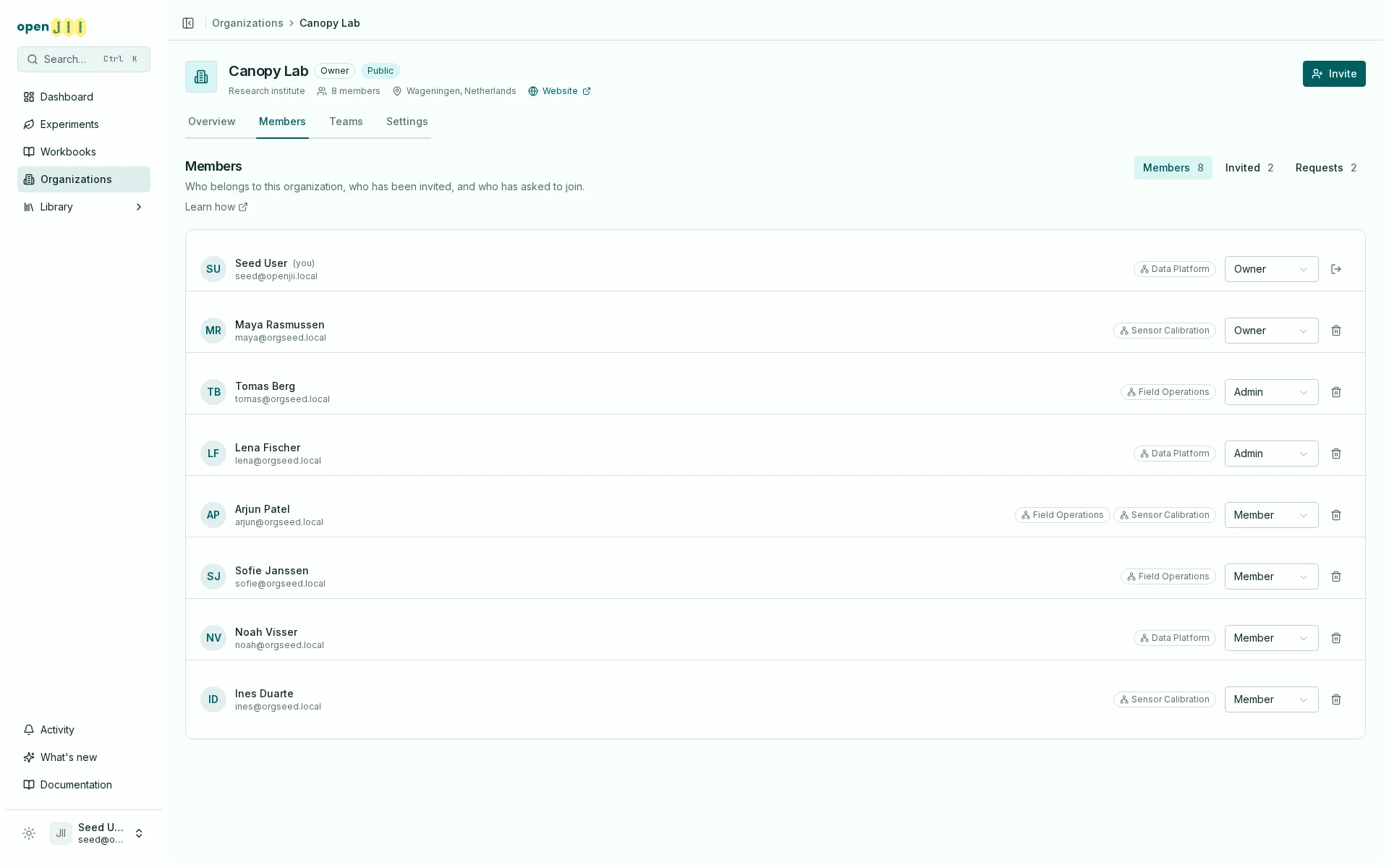
The three segments only appear for Owners and Admins. A Member sees the roster alone, because the other two are decisions they cannot take.
What each role can do
| Owner | Admin | Member | |
|---|---|---|---|
| Read everything the organization owns | ✓ | ✓ | ✓ |
| Contribute measurements and annotations to its experiments | ✓ | ✓ | ✓ |
| Edit, share and delete what it owns | ✓ | ✓ | – |
| Invite, remove, and change roles | ✓ | ✓ | – |
| Make someone else an Owner | ✓ | – | – |
| Change the organization's name, slug and profile | ✓ | – | – |
| Delete the organization | ✓ | – | – |
Admins and Owners are equally powerful over the organization's work. The difference is authority over the organization itself.
Invite someone
Select Invite, search for someone by name or type their exact email address, and choose the role they will get. If a name search hides their address, type the full address. When it matches an existing account, the person has a Matches the email you entered label. Select them to invite them at the address you typed. The result keeps their hidden address out of view. Otherwise, select Send invite by email. Whether or not they already have an openJII account, the result is the same: an invitation. Nobody joins an organization they did not ask to join — a membership carries read access to everything the organization owns, so it begins when the person accepts, not when you decide.
So the Members tab does not move when you invite somebody. They appear on Invited until they accept, and you can withdraw the invitation from there at any time.
No role is ever accepted for them. Whatever the role, and whether or not they already had an account, the invitation waits on their own Account → Invitations tab until they accept it there, with the role on screen. Signing in — including signing up for the first time from the invitation email, and including ORCID and GitHub — does not accept anything.
So the flow for someone brand new is: they follow the link in the email, sign up, and the invitation is still there waiting on that tab, with Accept invitation on it.
Invitations are matched on the email address, not the person. If you invite an address they never sign in with, nothing will ever happen. Check the address on the Invited tab before assuming the invitation is broken, and re-send to the right one.
Invitations expire after 48 hours. An expired one has to be sent again.
Approve or reject a request
If your organization is public, people can ask to join from the directory. Requests only arrive while it is public. Each Owner and Admin is told about a new request in their notifications, and by email unless they have switched off email for Requests and invitations; opening the notification brings you to Members.
Pending requests appear on the Requests tab with any message they wrote. Approve adds them as a Member; Reject declines without adding them. Either way the person who asked is told the outcome. Requests already decided, or withdrawn by the person who asked, are kept below under Earlier requests.
An organization holds at most 100 members. Once it is full, approving a request is refused until you remove someone.
This is the one path that puts somebody on the roster straight away, and it is the same rule seen from the other side: they asked, so there is nothing left for them to accept.
Change a role, or remove someone
On the Members tab, change a role with the dropdown on the person's row, or remove them with the button beside it.
Removing someone from the organization does not remove access they hold another way. If they also hold a share on a resource — in their own name, or through a team or another organization — that share survives and they keep it. They will simply appear as an Outside Collaborator from then on. See Who can access your work?.
Leave an organization
Your own row is marked (you) and its action is Leave.
You cannot leave if you are the only Owner. Make someone else an Owner first, or delete the organization if it has served its purpose. The same rule blocks deleting your openJII account while you are an organization's last Owner.