

Teams
Group people inside an organization so you can share with the group instead of one person at a time.
A team is a named subgroup inside one organization — a field crew, an analysis group, a cohort. Its only purpose is to be shared with: give a team access to an experiment and everyone in the team gets it.
Teams are flat. There is no nesting, and a team belongs to exactly one organization.
Create a team and add people
Open the organization, go to Teams, and select Create team. Give it a name, then add members from the organization.
You can only add people who already belong to the organization. If someone is missing, invite them to the organization first.
Sharing with a team
On any resource's Collaborators tab, share with a team the same way you would share with a person, and choose Can view or Can edit. Everyone in the team gets that level, and the list shows one row for the team — not one per member.
Adding someone to the team later gives them that access too, with nothing to update on the resource.
The team's own page is where you can see everything it reaches:
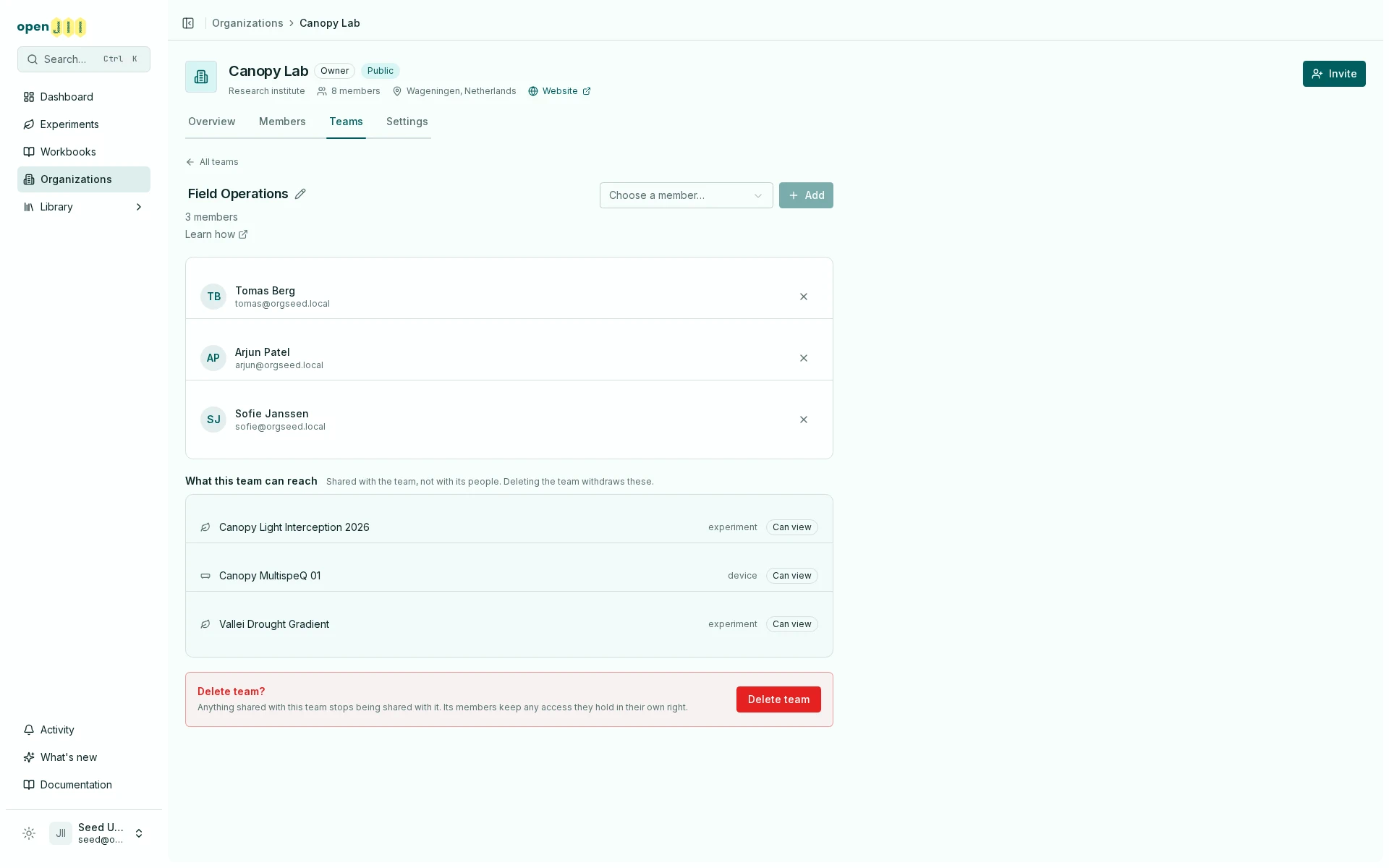
That list is the team's own shares, not what its people can reach by other routes — which is why it is exactly what deleting the team would withdraw.
A team share is one of the three ways someone reaches a resource. It stacks with their organization role rather than replacing it — the strongest applies. See Who can access your work?.
What deleting a team does
Deleting a team withdraws every share that team held. Anyone whose only access to a resource came through that team loses it immediately.
People are not removed from the organization, and access they hold another way — their organization role, or a share in their own name — is untouched.
Removing someone from a team is not the same as removing their access. If they can still open the resource afterwards, they have another route in: their role in the organization that owns it, a share of their own, or public visibility.