

Find and join an organization
Browse the directory, ask to join a public organization, and track or cancel your request.
There are two ways into an organization: someone invites you, or you ask.
Browse the directory
Go to Organizations. The directory lists every public organization, with its name, profile and what it chooses to show about itself, plus the private ones you already belong to. Until you choose a sort, your own organizations come first.
A private organization you are not a member of is not listed, and there is no way to find it. If a colleague's lab is not there, it is private and the only way in is an invitation — ask them to send one.
Ask to join
Open a public organization and select Request to join. You can add a short message of up to 250 characters saying who you are and why, which is worth doing: an Owner or Admin sees it beside your name when they decide. Send request sends it, and every Owner and Admin of the organization is told in their notifications.
Your request is pending until someone acts on it. On the web the button then reads Requested, with Withdraw beside it to take the request back while it is pending.
- Approved — you join as a Member: you can read everything the organization owns and contribute measurements and annotations to its experiments.
- Rejected — you are not added. Nothing else changes.
Either way the decision arrives in your notifications on the web, and by email unless you have switched off email for Membership and access.
Joining does not give you edit rights. Members read and contribute; an Owner or Admin can raise your role afterwards. See People and roles.
From the mobile app
The Android app covers the requester's side of all of this. You can browse the directory, ask to join, and withdraw a request. Deciding requests is web only, so an Owner or Admin still answers yours from a browser.
Organizations live on the app's Discover screen, on a tab of their own beside Experiments.
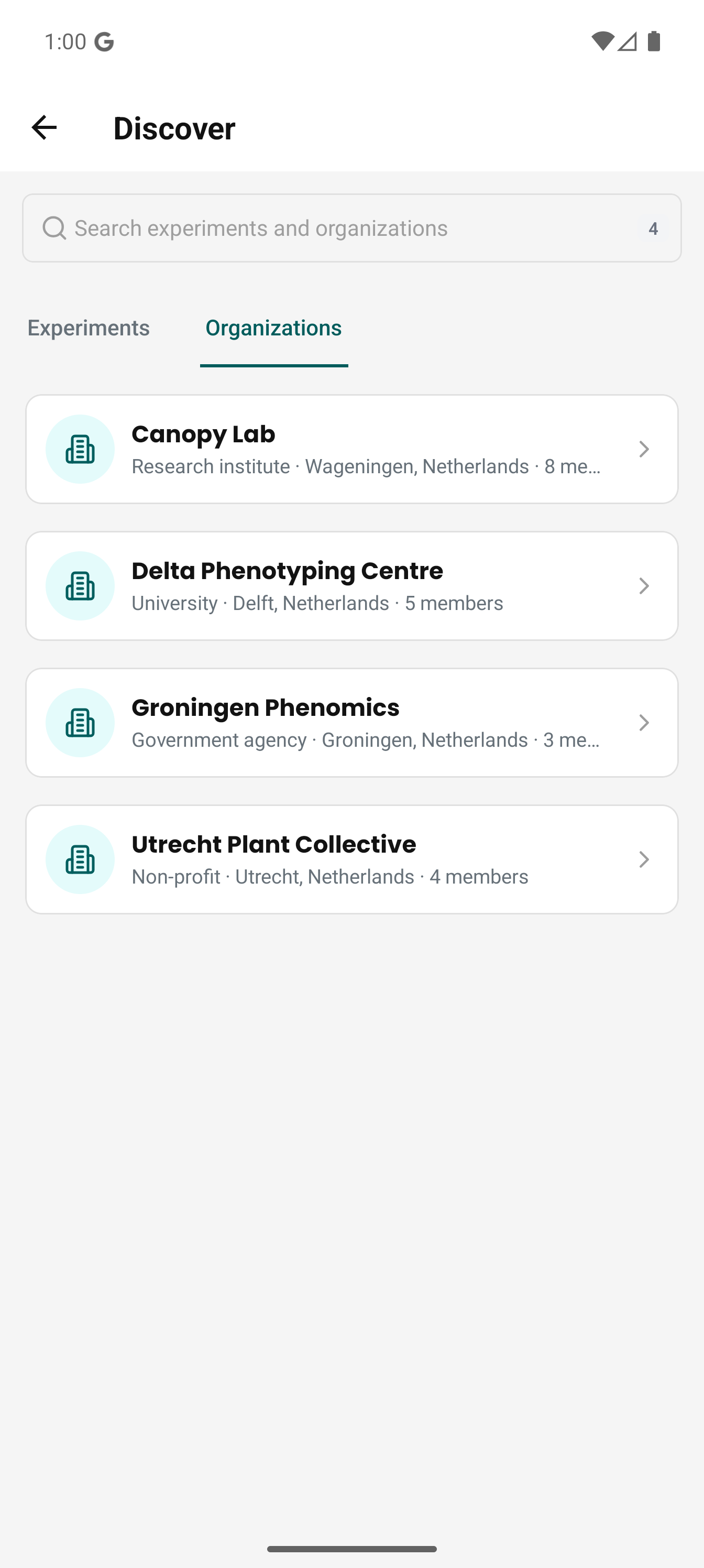
Two ways in:
- Profile → Find experiments and organizations opens Discover from anywhere.
- On Home, a card reading "Find something to join" appears while you are in no experiment, whether or not you belong to an organization, and opens the same screen. It disappears on its own once you are in one experiment, and there is nothing to dismiss. A pending organization request replaces it with a card naming that organization, covered below.
Discover opens on the Experiments tab; select Organizations to get this list. One search field serves both tabs and keeps what you typed when you switch, so a term you tried on one tab is already applied on the other. The search runs on the server, so it matches descriptions, locations and types as well as names, and it takes a moment to catch up with your typing. The × clears it.
The list shows your own organizations first, then everything else public. Each row shows the organization's type, location and member count, with a Joined or Requested tag when one applies and Private on the organizations you belong to that are not listed publicly.
Ask to join
Open an organization to see its profile, how many members it has, and how many of its resources you can reach. Request to join opens a sheet with an optional message of up to 250 characters, the same message an Owner or Admin reads beside your name. Send it and the button is replaced by a pending banner.
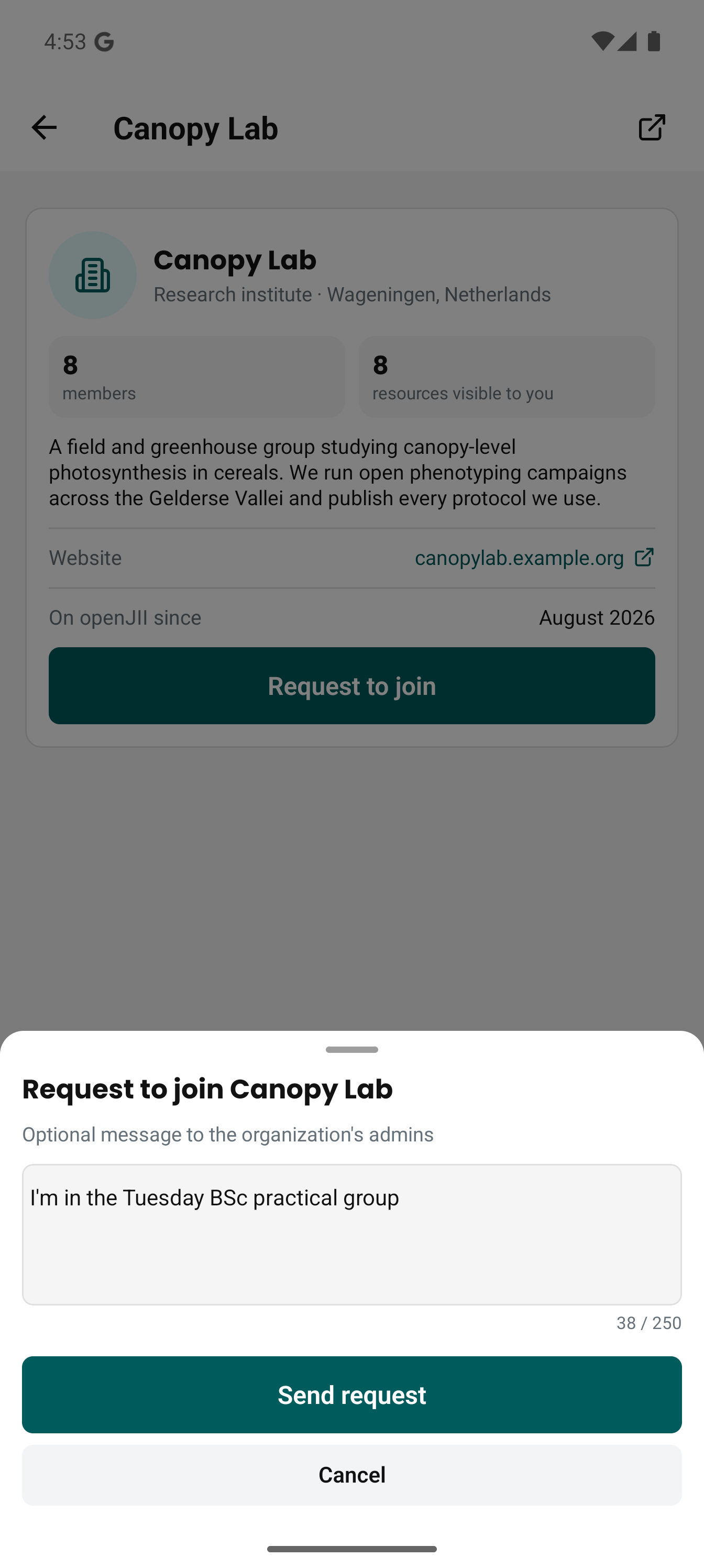
You will not see a Request to join button on an organization you already belong to or have already asked about, and neither will you on a private one. There is nothing to press while you are offline either: the button is disabled with a note saying so, because the request has to reach the server to mean anything.
While your request is pending
The Home card changes to Request pending with the organization's name and opens that organization when tapped. It only does that while you are in no experiment; once you have joined one, Home stops nudging you and Profile is where you go. On the organization itself, Cancel request asks you to confirm and then withdraws it. You are back to Request to join and can ask again later.
You get an email when the request is decided, approved or rejected, unless you have switched off email for Membership and access on the web. The app has no notification list of its own, so it catches up the next time you open the organization: approved and the Home card is gone, with your role shown on the organization instead.
Open on the web
Members, teams, settings and join requests are web features. The organization screen has an Open on web platform button in its header that takes you to the same organization in a browser.
If you were invited instead
An invitation names an email address and a role, and puts you in without a request — once you accept it. Invitations are answered on Profile menu → Account → Invitations, which lists every one waiting for you with the role it offers and the date it expires; the link in the invitation email takes you straight there. Select Accept invitation on the row to join, or Decline to turn it down. An invitation lasts 48 hours, so one that has run out has to be sent again.
The invitation also appears in your notifications, and opening it takes you to the same tab. If you had no account when you were invited, it appears there the first time you sign in, provided the invitation has not expired. Sign in and accept it within 48 hours of the invitation being sent; after that, ask for a new invitation.
Nothing accepts it for you. Signing in does not, and neither does signing up from the invitation email: create your account before it expires, and the invitation is still waiting on that tab. That is deliberate — a membership gives you access to everything the organization owns, and an Admin or Owner role makes you answerable for other people's work, so joining is always something you choose.
The tab lists only what was sent to the address you sign in with. So if you signed up with a different address than the one invited, the invitation will not find you and the tab will look empty — ask for it to be re-sent to the address you actually sign in with.