

Create an organization
Name it, give it a profile, and choose whether it is listed in the directory.
Go to Organizations and select New organization. You become its first Owner.
What you are asked for
- Name — how the organization appears everywhere: in the directory, on the Collaborators tab of anything it owns, and in the workspace picker on create forms.
- Slug — the short identifier in its URL. It must be unique across openJII.
- Profile — type, description, website and location. All optional, all editable later, and all only worth filling in if you plan to be listed publicly.
Private or public
This choice controls one thing: whether the organization is discoverable in the directory. New organizations are private.
| Private | Public | |
|---|---|---|
| Appears in the organization directory | No | Yes |
| Anyone can ask to join | No | Yes |
| People join by | Invitation only | Invitation, or a join request you approve |
The choice sits on the wizard's second step, beside the profile fields, and each option states its own consequence:
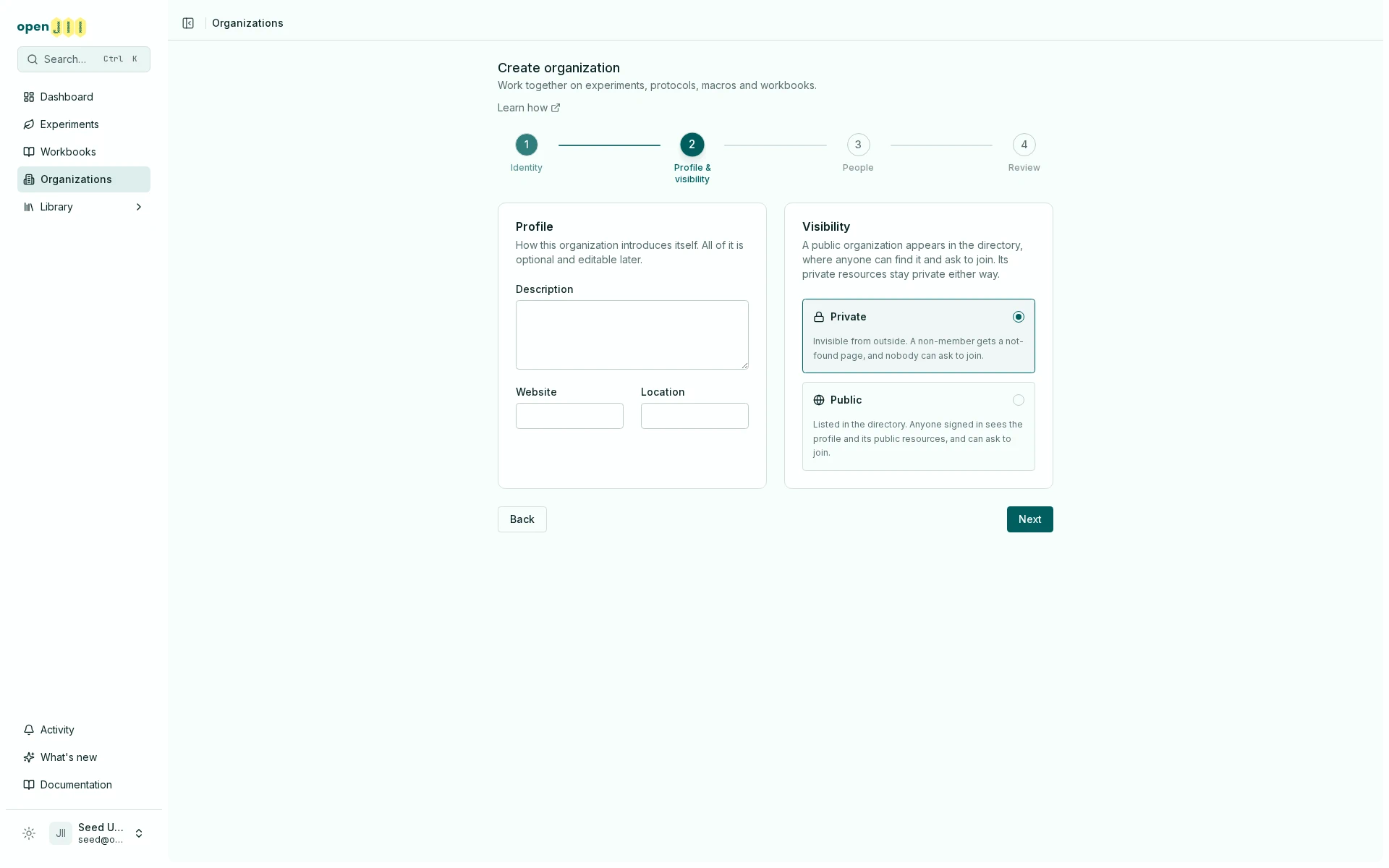
This is not the same setting as a resource's visibility, even though both say Private and Public. Making the organization public does not publish a single experiment, and publishing an experiment does not list the organization. They are independent controls with the same words.
The important asymmetry: you can make an organization private again at any time, but publishing an experiment cannot be undone.
After it exists
- Invite people and give them a role.
- Optionally create teams for subgroups you will share with repeatedly.
- Start creating work in it — every create form has a workspace picker. See Choosing the owning workspace for what that choice commits you to.
Moving work you already own into a new organization is a separate task — see Moving a resource.