

Moving a resource to another workspace
Transfer an experiment, macro, protocol or workbook between your personal workspace and an organization — and what changes about access when you do.
Work created in your personal workspace can be moved into a lab, and work owned by one organization can be moved to another. This is the fix for "I built this on my own and now the group needs it".
This is not Project transfers, which is about migrating a PhotosynQ project into openJII. This page is about work that is already in openJII changing which workspace owns it.
Move a resource
Open the resource and find Owning organization on its detail page. Select Transfer, choose the destination, and confirm.
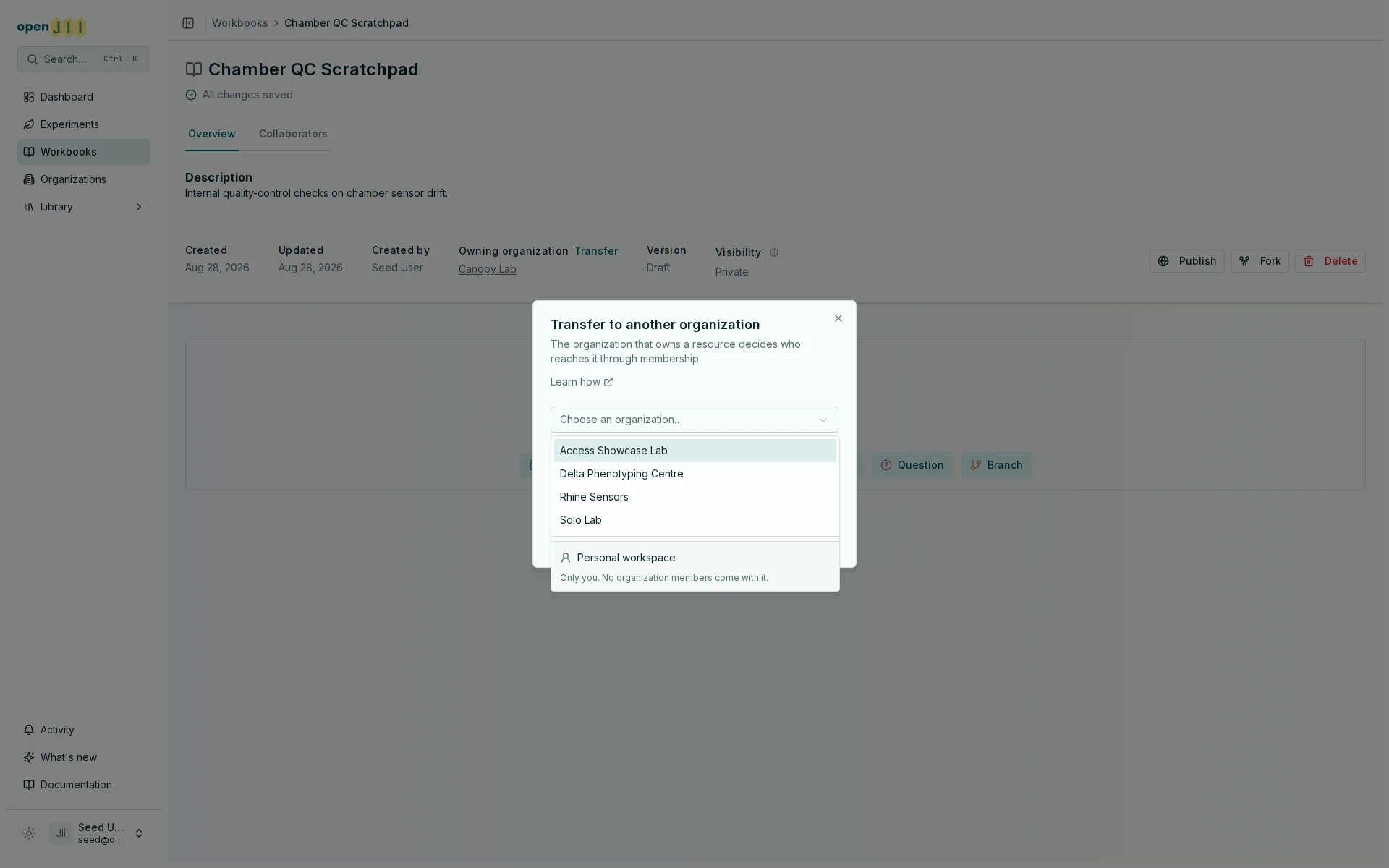
Your personal workspace is listed apart from the organizations on purpose: it is the one destination that takes the resource away from everybody but you.
What you need to be allowed to do it
Both sides are checked:
- On the side losing it — you need full control of the organization that owns it now: Owner or Admin. Being a Member is not enough.
- On the side receiving it — you need to be able to create there: a member of the destination organization, or it is your own personal workspace.
There is one narrow exception on the losing side. If the organization has no living Owner or Admin left, someone who holds Can edit on the resource itself may move it out — otherwise the work would be stranded in an organization nobody can act on.
Devices and device groups cannot be moved
Experiments, macros, protocols and workbooks can all be transferred. Devices cannot — there is no transfer route for them at all. A device stays with the organization that registered it until the device is deleted.
Device groups cannot be moved either, for the same reason one step removed: a group is its list of devices, and those devices are pinned to the organization that registered them. A group that moved on its own would arrive without them.
This matters when you are trying to empty an organization before deleting it.
What changes, and what doesn't
| After the move | |
|---|---|
| The destination's roles | Start applying immediately — its Owners and Admins can edit, its Members can read and contribute |
| The old organization's roles | Stop applying. People who only had access through it lose it |
| Shares held by a person | Survive |
| Shares held by an organization | Survive |
| Shares held by a team | Removed. Every team share on the resource is withdrawn by the move |
| Visibility and embargo | Unchanged. Moving does not publish or unpublish anything |
| The data itself | Unchanged — measurements, annotations and versions all move with it |
The team share removal is the one that surprises people. If a field crew reached the experiment through a team, they lose it the moment it moves — re-share with a team in the destination organization afterwards.
After moving
Check the Collaborators tab. The list is rebuilt around the new owner, so the summary rows now count the destination's admins and members, and anyone who kept a share is shown against the new organization. See Who can access your work? for how to read it.