

Adding metadata
Attach context such as genotype, treatment, or planting date to your measurements so you can filter, compare, and analyze your data.
Sensor data alone tells you what was measured, but not why or under which conditions. Metadata fills that gap: it is the context you attach to your measurements, such as the plant, the treatment, or the growing conditions.
Why metadata matters
- Compare and group — line up genotypes, treatments (for example stress vs. control), or time points side by side.
- Enable analysis — most statistics need at least one grouping variable. With metadata you can compare groups, fit models, and make meaningful plots.
- Support open, FAIR data — rich context makes your data findable and reusable by others.
What to capture
There is no fixed list, add whatever is relevant to your study. Common examples:
| Column | Purpose | Example values |
|---|---|---|
plant_id | Unique identifier per plant or plot | P001, P002, A-12 |
genotype | Genetic background or cultivar | Col-0, Ler, Nipponbare |
treatment | Experimental condition | control, drought, high-light |
block | Field or greenhouse block | B1, B2 |
sowing_date | Date the plant was sown | 2025-03-15 |
harvest_date | Date of harvest or final measurement | 2025-06-20 |
How it works
You add metadata as a small table. openJII joins it to your measurements using a
shared identifier column, for example a plant_id that matches an answer
recorded during measurement. The metadata columns then appear alongside your
sensor readings in the Data tab and in every export.
Add metadata
Metadata is added after your experiment exists, on its Data tab.
Open the import dialog
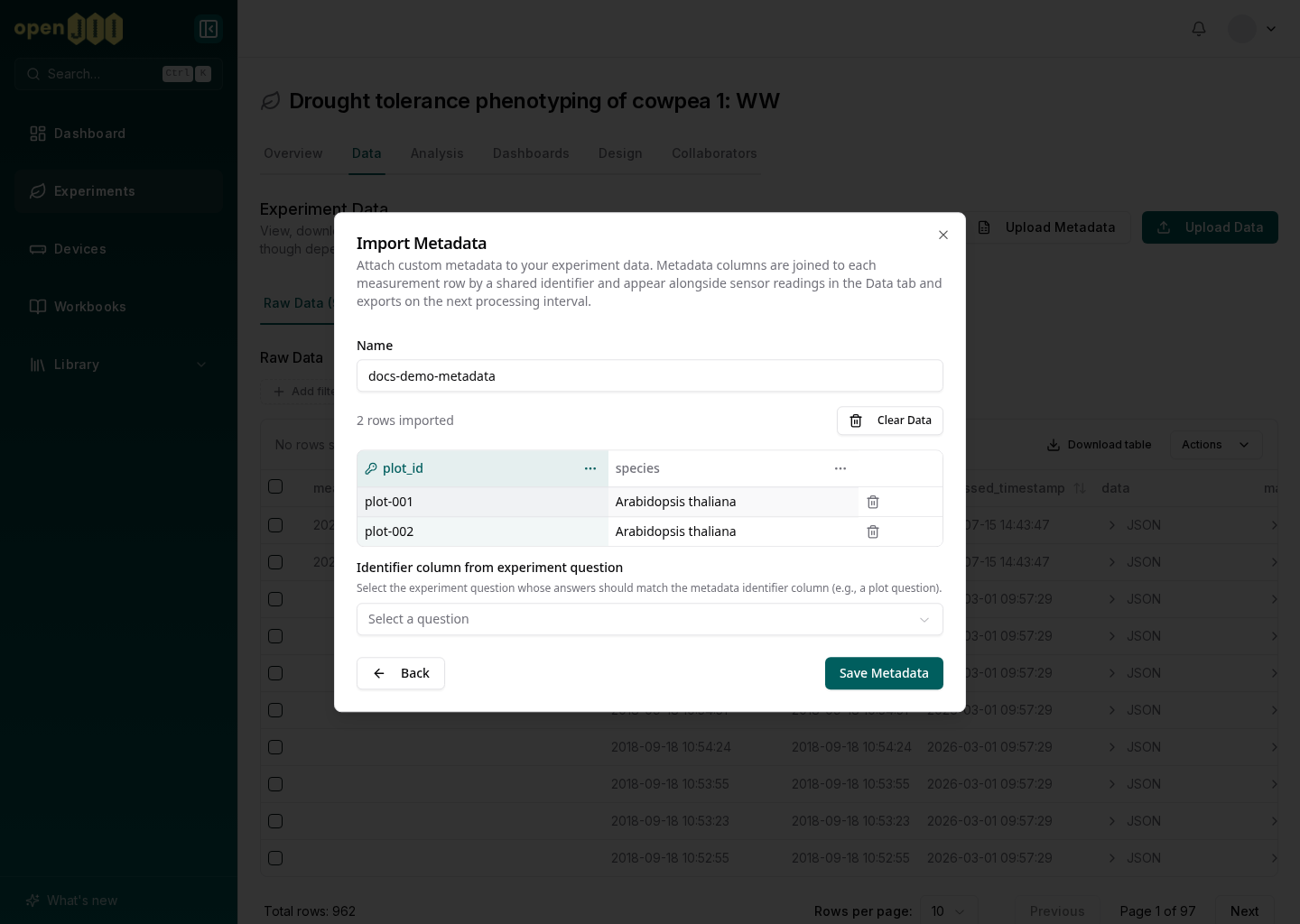
Open your experiment, go to the Data tab, and select Upload Metadata (it reads Edit Metadata once metadata already exists). The Import Metadata dialog opens.
Bring in your table
Add your data one of two ways:
- Upload File — a CSV, TSV, or Excel file (
.xlsx,.xls). - Paste from Clipboard — copy a range from a spreadsheet and paste it in.
Choose the identifier column
Mark the column whose values match an answer recorded during measurement (for
example plant_id). This is how openJII joins the metadata to the right rows.
Open the ⋯ menu in that column's header and select Set as identifier.
Column names may only contain letters, digits and underscores, so spaces in your
headers become underscores on import: QR code becomes QR_code.
Save
Select Save Metadata. Your columns appear in the Data tab and in exports on the next processing interval.
Make sure identifier values match exactly. If the app records P001, use P001 in your metadata,
not p001 or Plant 001. You can re-upload at any time to replace the current metadata.