

Managing & organizing experiments
Find, search, and filter your experiments from the experiments list, and archive the ones you have finished.
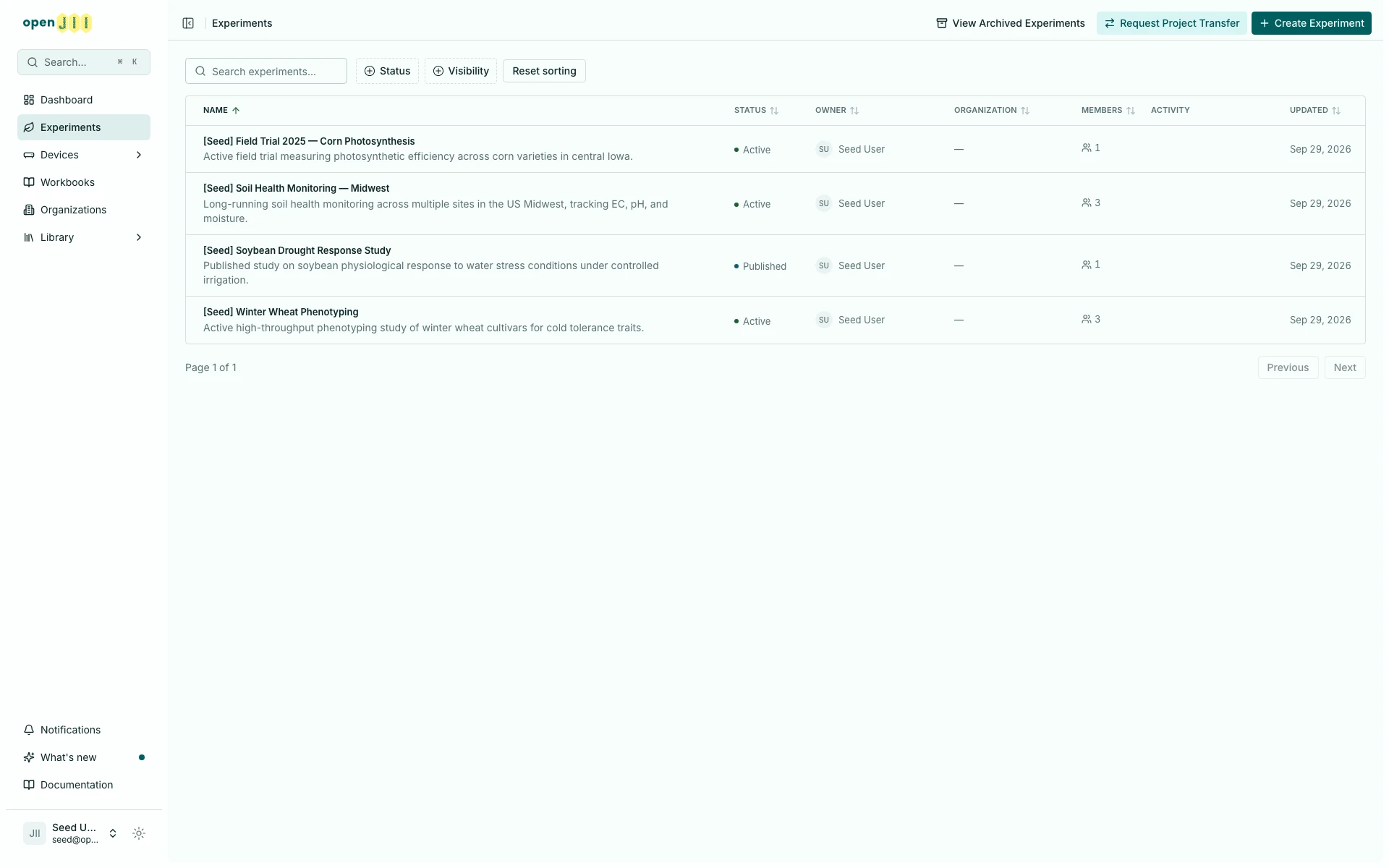
The Experiments page is your home base. It lists your experiments and gives you a few ways to find the one you want.
Find an experiment
Each experiment is a row showing its name, description, status, owner, owning organization, member count, and when it was last updated. Select a row to open the experiment.
Search and filters narrow the list:
- Search: type in the search box to match experiments by name and description (and by the people and locations linked to them).
- Status: pick Active, Stale or Published. Archived experiments have their own list.
- Visibility: pick Private or Public.
Each filter opens a checkbox list, and its button shows how many values you picked. Two values in one filter show experiments that match either; two filters together show only experiments that match both. Clear filters removes every filter and keeps your search. When nothing matches, the empty list offers the same button. The filters stay in the page URL, so a refreshed or shared link opens the same view. The archived experiments list has the Visibility filter only.
To change the order, select a column heading. Select it again to reverse the direction, then once more to return to the default order. Hold Shift while selecting a second heading to sort within the first column. If you Shift-select a third, it replaces the oldest choice. The arrows show direction, and a 2 marks the secondary column. Reset sorting clears both choices. Your sort stays in the page URL, so a refreshed or shared link opens in the same order. The archived experiments list works the same way.
In a phone-width browser window the list shows only the Name column, so Name is the only heading you can select there; the other columns appear as the window widens. A sort chosen in a wider window, or carried in a shared link, still applies while its column is hidden. The Android app's lists have no sort control.
Create and transfer
From the top of the Experiments page you can also:
- Create Experiment — start a new experiment (see Creating an experiment).
- Request Project Transfer — bring in an experiment, its protocols, and its data from another platform.
Archiving
When you are finished with an experiment, you can archive it. Archived experiments move out of the main list into a separate view, which you reach with View Archived Experiments. This keeps your working list focused without losing anything.
Archiving needs Can edit. See access levels for what each level allows.