

Installing the mobile app
Install openJII on Android and sign in for field work.
The production mobile release is distributed for Android through Google Play, published publicly as openJII by OpenJII (rated PEGI 3; the listing notes that the app shares location).
There is no published iOS app. The measurement devices used today connect over USB serial or Bluetooth Classic, and neither channel is available to an app on iOS, so the field app ships on Android only.
- Open the openJII listing on Google Play.
- Install or update openJII.
- Open the app while connected to the internet.
- Sign in with email, GitHub, or ORCID.
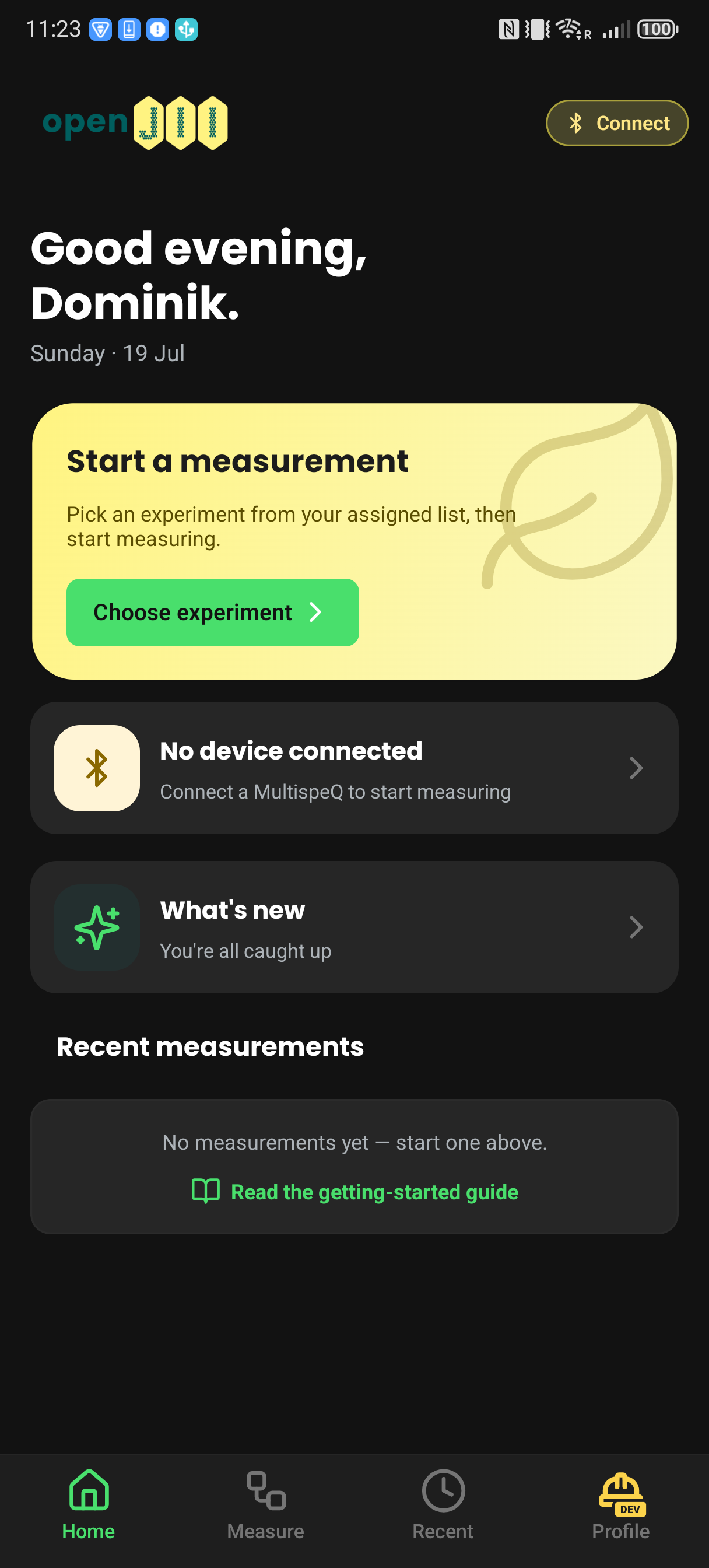
Captured with production app 2.16.1 (build 160). The yellow DEV badge identifies the required dev environment.
Sign in by email
Enter the email address on your openJII account. The app sends a six-digit code; you can read that code on another device and type it into the field phone. No password is required.
GitHub and ORCID sign-in leave the app briefly and return through the openjii
app link after authentication.
If you do not belong to an organization yet, Home shows a card that opens the organization directory, which is also under Profile → Organizations. You can browse it and ask to join from the app; see Find and join an organization.
Prepare offline access
Your first sign-in requires connectivity. After sign-in, the app caches the experiments you created or that were shared with you personally, and each one's pinned workbook version. Before going offline:
- wait until the experiment shows Offline ready;
- connect and test the device;
- confirm that the experiment has a workbook and protocol;
- keep the app signed in.
If an experiment or workbook changes later, reconnect and open the app so it can refresh the cache. See Working offline & syncing.
Do not rely on an old minimum-device specification copied from earlier docs. Check the current Google Play compatibility message for the actual field phone.