

MultispeQ (handheld)
Connect a MultispeQ and use it for protocol-guided field measurements.
A MultispeQ is handheld measurement hardware operated by a person. openJII sends a selected MultispeQ protocol to the device, receives the raw response, and can run the workbook's analysis macro before you accept the result.
Use it when your method calls for measurements at chosen plants, leaves, or time points rather than an unattended data stream.
Connect a device
Supported devices appear together in the Devices sheet, but Bluetooth and USB setup follow different paths. MultispeQ is the most common case.
Bluetooth
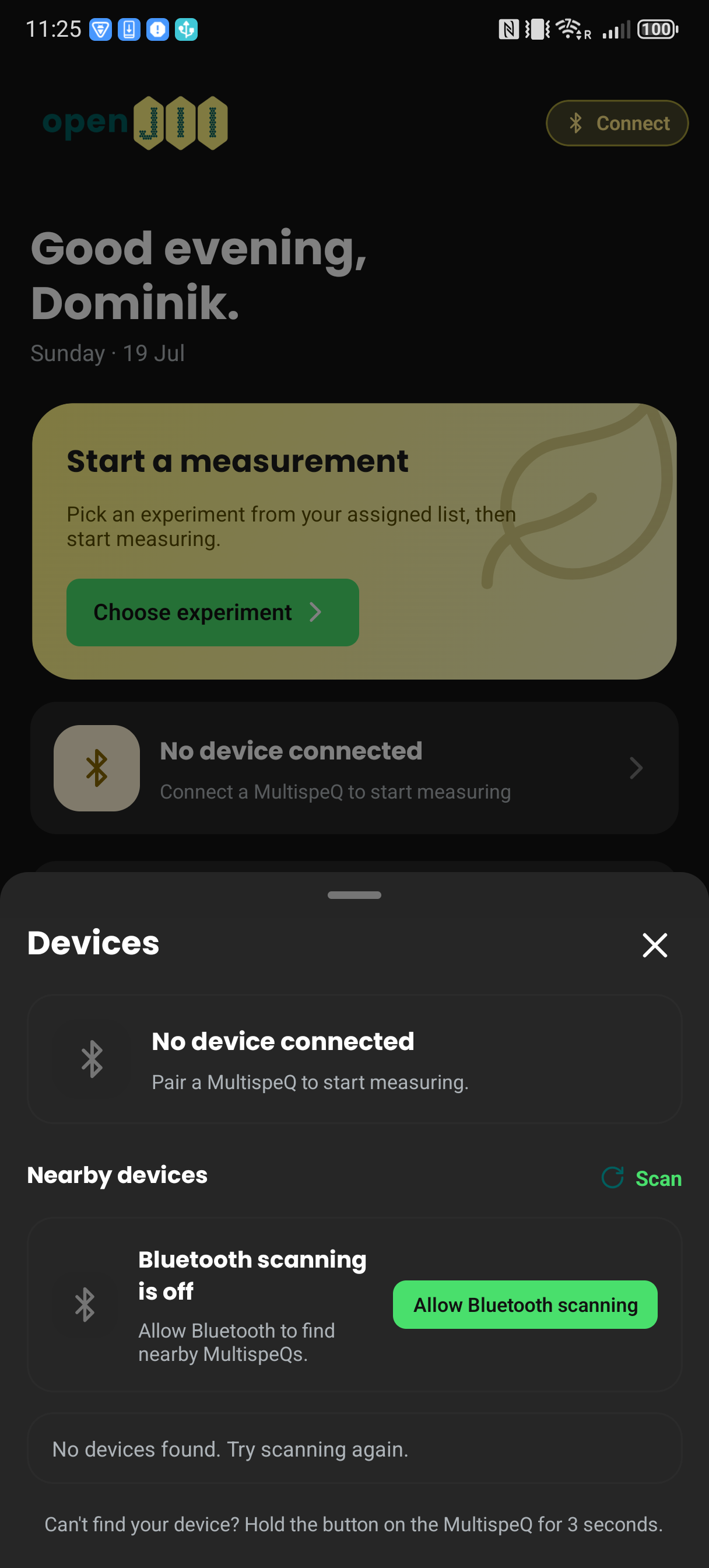
- Turn on the device. To make a MultispeQ discoverable, hold its button for about three seconds.
- In the openJII mobile app, open Devices from the device chip.
- Allow Bluetooth access when Android asks.
- Select Scan, then Connect beside the intended device.
- Check that the sheet shows the device as connected.
USB cable
- Connect the device to the Android phone with a supported USB cable or adapter. Use a powered USB hub when connecting several devices.
- Open Devices from the device chip and select Connect beside the wired device.
- Approve Android's USB permission request when it appears.
- Check that the sheet shows the device as connected.
The primary connected device can also show battery level and firmware version when those values are available.
The mobile app connects over Bluetooth and wired USB. A Bluetooth connection holds one device; a wired setup can accumulate several devices through a USB hub.
On the web, a MultispeQ connects over USB/serial only. Its wireless link is Bluetooth Classic (BR/EDR), which the browser's Web Bluetooth API cannot reach.
Before the first field session
- Attach a workbook containing a MultispeQ protocol to the experiment.
- Open the experiment in the app while online so the pinned workbook version is available offline.
- Run a test measurement and confirm that the expected questions, protocol, and analysis appear.
If several devices should run together, see Multi-device measurements.
openJII can keep a record of a MultispeQ's calibration through Calibration, but it cannot write MultispeQ coefficients to the device: an approved MultispeQ calibration stays on record only. For hardware-specific service, use the device manufacturer's support material.