

Continuous sensors
Stream autonomous sensor data over MQTT while distinguishing the Ambyte gateway from Ambit and MiniPAR measurement devices.
A continuous sensor records observations over time without a person starting each reading, unlike a handheld MultispeQ. Bringing that data into openJII is a generic MQTT capability: any autonomous device can publish measurements to the platform's IoT endpoint once it is registered and holds credentials.
Ambyte is JII's own edge device built on exactly this capability: a field
gateway that receives readings from autonomous sensors and measurement devices,
such as the Ambit, and publishes their observations to the platform over
MQTT. Ambit (ambit) and MiniPAR (minipar) are separate measurement-device
families; MiniPAR is normally operated locally.
Register the device and issue credentials
Registration and credentials are the same for any continuous sensor:
- Open Devices and register the device using its physical identifier.
- Issue device credentials (certificates) from the registered device's Credentials tab.
- Install the credentials on the device or its gateway so it can authenticate against the platform's MQTT endpoint.
The device's status follows these steps. A device is Registered once it is in the registry, Provisioned once it holds a certificate, and Onboarded once it is bound to at least one experiment. Revoked means its certificate was withdrawn and a new one restores it. Retired takes a device out of service on purpose: its certificate is revoked, it drops out of attention lists and pickers, and its record and history stay until you reinstate or delete it. Whether the device is currently on the broker is a separate live indicator beside the status: Online, Offline, Never connected, or Unknown when the fleet index is unavailable. A phone has no certificate and picks its experiment in the app, so it shows the connectivity indicator only, reading Idle when the app is closed. Retiring one is the exception: it cuts the phone off by detaching the identity the app signs in with, and a retired phone carries the Retired badge like any other device.
Device credentials include private key material that is shown once. Store it securely and never paste it into an issue, screenshot, or shared document.
Where the data goes
A registered device publishes its measurements over MQTT; the platform routes them through the ingestion pipeline into the experiment's data tables. The topic structure, message schema, and connection details are developer material: see Data ingestion in the Developers tab and the MQTT API reference.
See the devices behind an experiment
Every experiment has a Devices tab. It lists two kinds of device together:
- Devices onboarded to the experiment from their own Onboarding tab.
- Devices that sent data into the experiment in the last 30 days, whether or not they were onboarded. A publisher that matches no registered device is listed by its client id as an unregistered publisher.
Four tiles summarize the roster: onboarded, sending data, onboarded with no recent data, and sending without onboarding.
Below them the devices are listed down the left, searchable and paged 25 at a time, with the first one selected. Picking a device fills the rest of the page with its detail: status and live broker connectivity, the firmware version and battery level it last reported, how much it has sent into this experiment both in the window and in total, when data last arrived from it anywhere, and its onboarding date. A chart under the facts shows what it sent into this experiment day by day. Onboarded devices can be detached from here, and a device you have access to links through to its full monitoring.
An unregistered publisher is listed by the name it reports for itself, falling back to its client id.
This replaces the separate device metadata table that used to sit among the experiment's data tables: the same reported facts now appear beside each device's registry identity and live state.
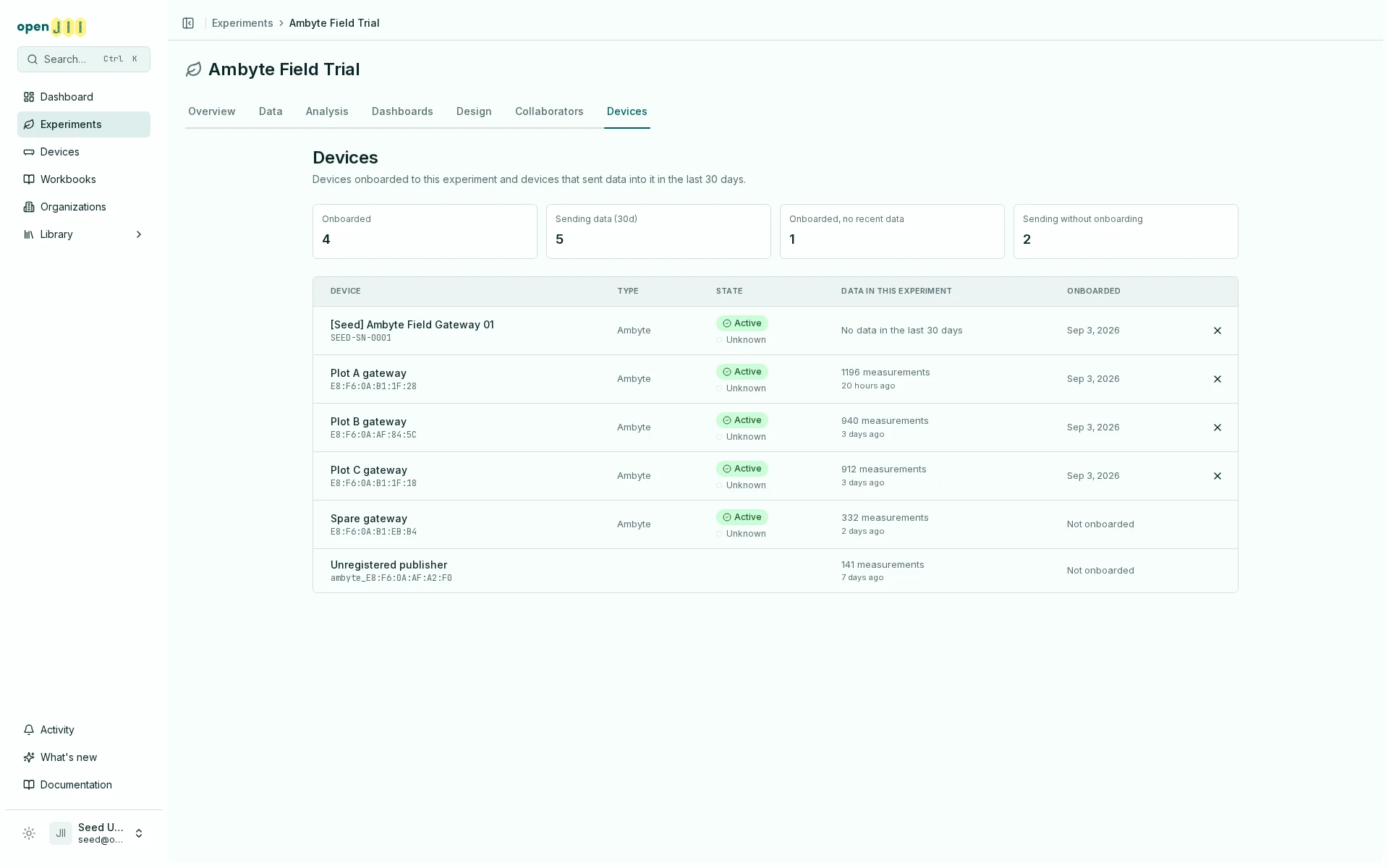
Anyone who can view or edit the experiment can open an onboarded device from this tab, even without their own access to the device. A device that only sent data still appears with its facts, but opens only if you already have access to it; a lock marks those rows. The tab is not shown to people who reach a public experiment through public visibility alone.
The measurement counts and last-arrival times come from the data pipeline and lag behind the live broker by the pipeline's cadence. If the pipeline cannot be reached, the tab says so and does not count any device as silent.
ambyte and ambit are distinct stored values today, but their history is not clean: database
migration 0037 remapped existing ambit rows to ambyte, and migration 0038 later re-added
ambit. A legacy ambyte row may therefore hold data captured by an Ambit. openJII records this
ambiguity and follows the current stored value; it does not rewrite historical rows.
Bring in Ambyte data
- Register the Ambyte from Devices and issue its credentials as above.
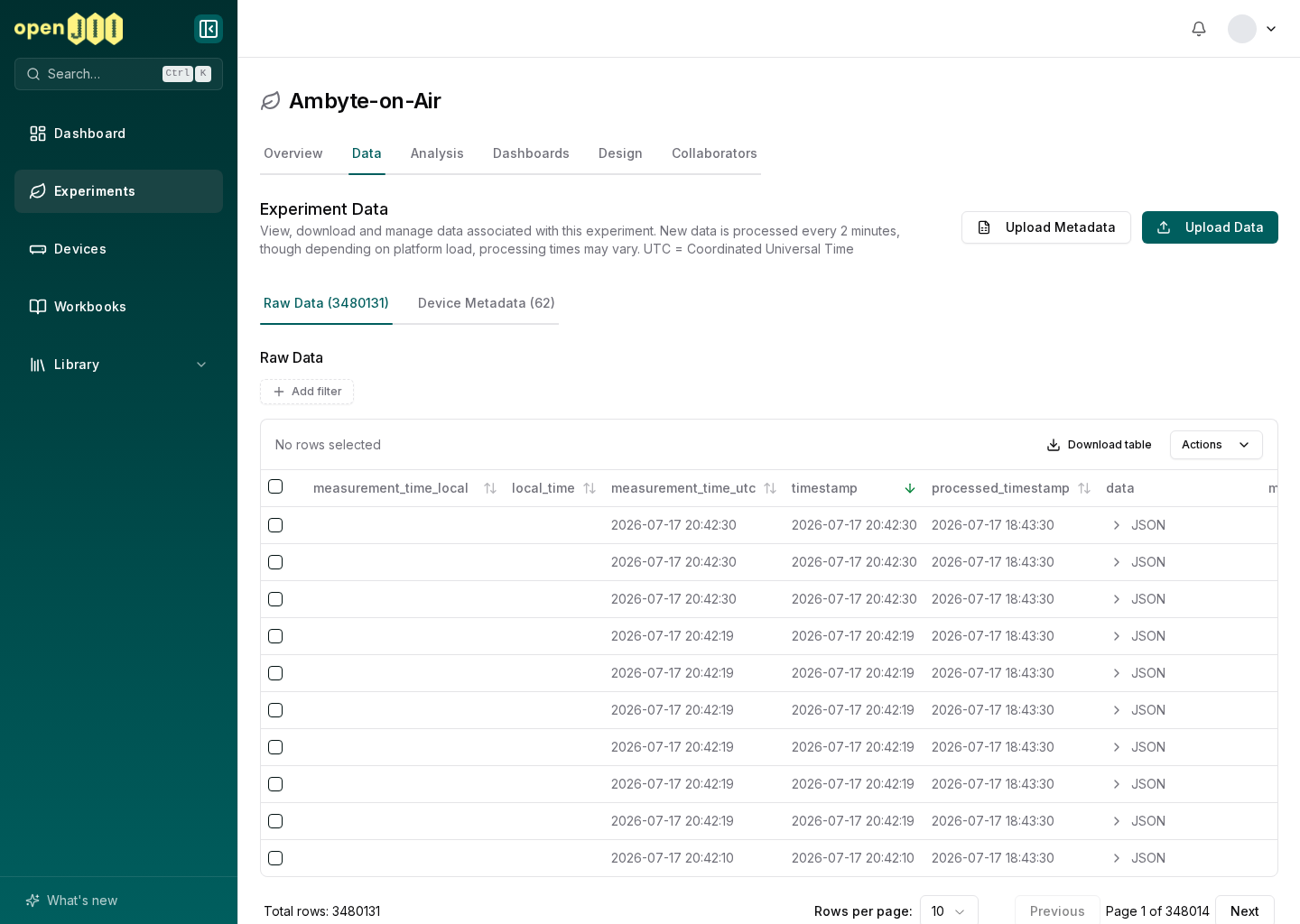
- Upload an Ambyte folder to an experiment data table. The uploader expects an
Ambyte_N/[1-4]/*.txtfolder layout and processes the data asynchronously. Once the upload starts you can close the dialog and keep working, but keep the browser tab open until the upload finishes. - You get a notification when the table is ready to query.
Connect Ambit or MiniPAR locally
The web workbook host identifies Ambit and MiniPAR devices over USB serial and selects the matching driver automatically. The Android app does the same for a device connected by USB cable. Both families run protocol cells over a direct connection and return a measurement envelope; see Writing protocols for the protocol shape. Command cells cover single operations such as calibration commands and spot readings.
If the family selected in the workbook toolbar differs from what the device reports, the web host shows a Different device identified notice and uses the identified family.
The web host connects local devices through the browser: USB/serial over Web Serial, and Bluetooth Low Energy (BLE) over Web Bluetooth. Browsers cannot reach Bluetooth Classic (BR/EDR), so a Bluetooth-Classic device such as a MultispeQ connects over USB/serial on the web rather than over the browser's Bluetooth.
Connect a MiniPAR to the Android app
- Connect the MiniPAR to the phone with a USB cable or adapter. Use a powered USB hub when connecting several devices.
- Open Devices from the device chip and select Connect beside the wired device.
- Approve Android's USB permission request when it appears.
Before the app has identified the device, the Devices sheet names it by its USB
vendor and product numbers and the port's number, in the form
vendor:product #number. Once it is identified, the connected row shows the
name the MiniPAR reports, with Measurement device underneath.
Ambyte support by surface
Ambyte behaves differently in three separate contexts; keep them distinct:
- Web protocol testing routes the
ambytefamily through the generic device driver over USB/serial only. This is a compatibility path for exercising a protocol, not a dedicated Ambyte integration. - Mobile local connection and execution has no Ambyte path. The mobile app cannot connect to an Ambyte for measurement.
- A product-specific Ambyte BLE integration is planned but not yet built. Do not read the generic web route above as that dedicated support.
Current limits
For its normal workflow, Ambyte is an MQTT and folder-ingestion family rather than a locally connected workbook device. A registered device has a Monitoring tab, showing its broker connectivity and what its data looks like over time, and, for people who can manage it, an Onboarding tab for choosing the experiments it streams into and handing it its configuration.
For analysis after ingestion, continue with Viewing your data.