

Status page
Check whether openJII is working before you report a problem.
The openJII status page shows whether each part of openJII is working. It is checked every minute from outside the platform and runs apart from it, so it stays up when openJII is down.
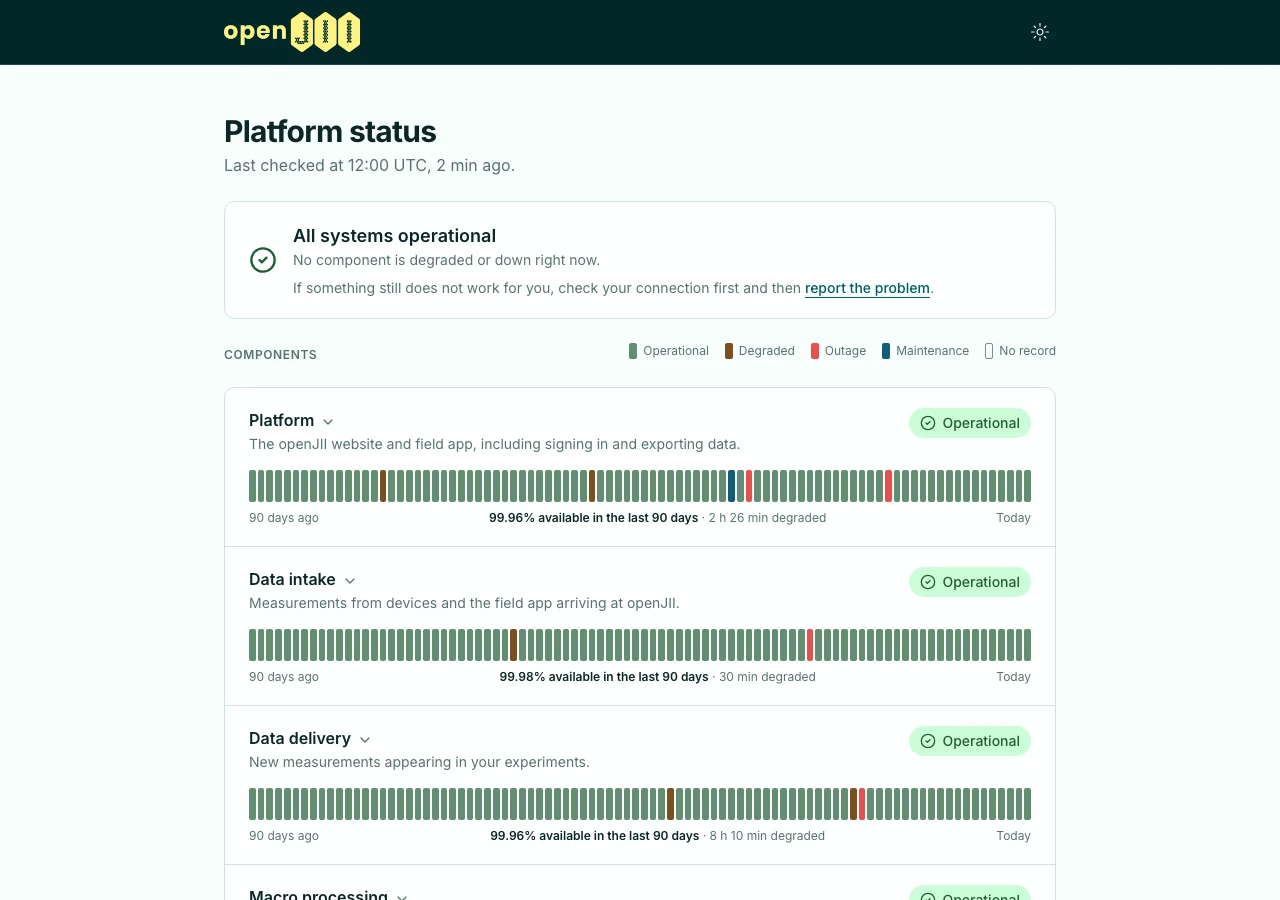
What it shows
Each row is one part of openJII, such as the platform or data intake, with a line on what it covers. Open a row to read what makes it Degraded or Outage. Its state is one of Operational, Degraded, Outage or Maintenance.
The bar under a row covers the last 90 days, one block per day, and you can hover over or focus a day to see what happened then. Under the bar the page says what share of the recorded time the part was available and how many minutes it was degraded.
Where to find it
- The website's sign-in error page links to it.
- The account menu in the platform has a System status item.
- In the mobile app, the Can't reach openJII message on the login screen links to it.
When to use it
If something in openJII does not work, check the status page first. If the part you use shows Degraded or Outage, the problem is on our side and you do not need to report it. If every part reads Operational, the problem may be your connection or something we have not seen yet, so report it.