

Exporting data
Create and download a processed experiment-table export.
Web exports are created per experiment dataset, not as one automatic archive of every table. Choose the table that contains the measurements you need.
Download a chart image
On a chart with PNG export enabled, use the toolbar's Download plot as a PNG button. The downloaded image includes the openJII logo at the bottom right in a white footer below the chart. The footer adds height to the image so it does not cover data, labels, or legends. The chart itself keeps its configured export resolution and colors. Retrying a chart with fallback rendering keeps the configured PNG export and logo footer.
This saves an image of the chart. To work with the underlying measurements in R or Python, create a dataset export as described below. SVG, JPEG, and WebP exports keep their existing behavior.
Create an export
- Open the experiment's Data tab and select a dataset.
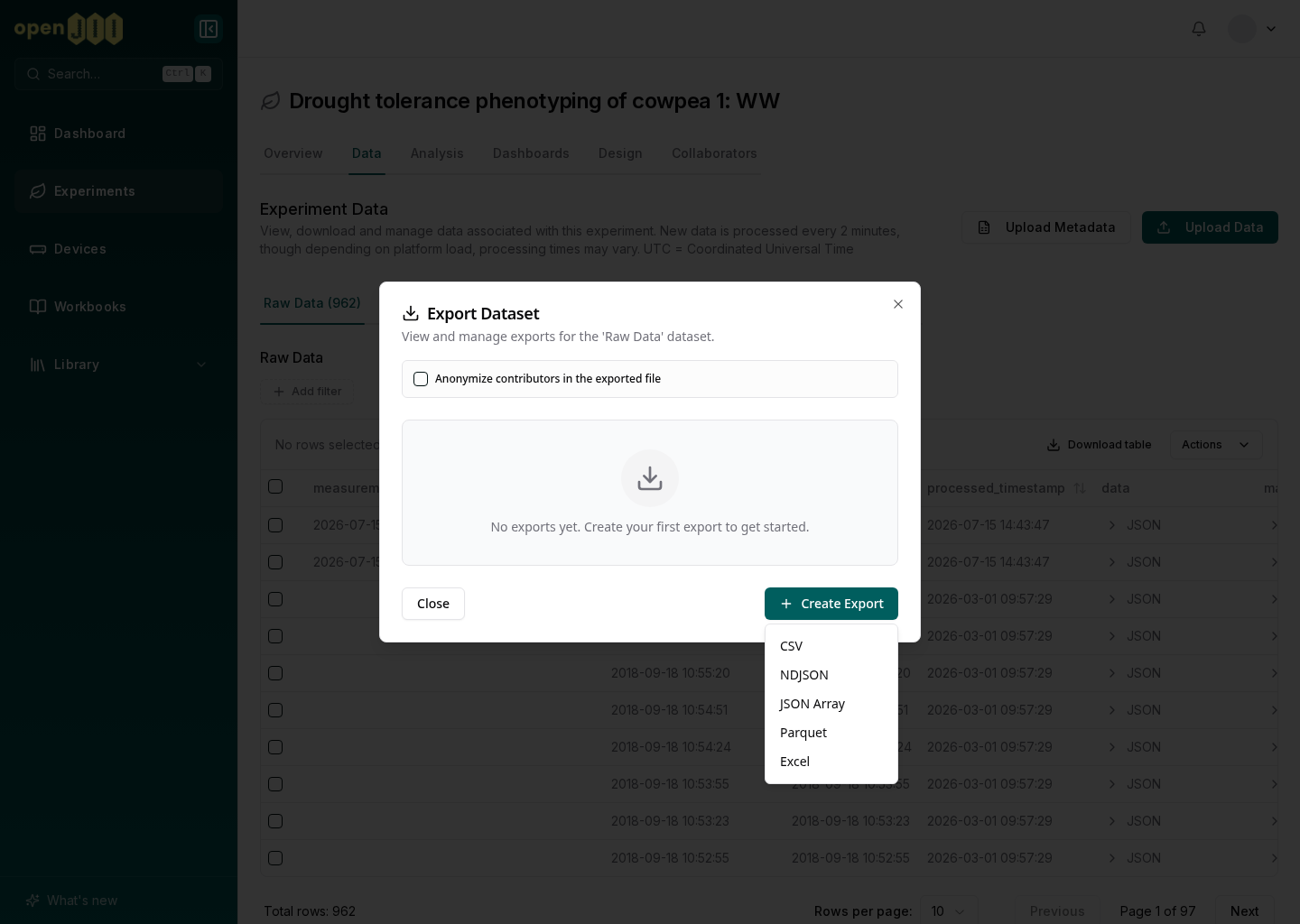
- Open Export Dataset from the table actions.
- If needed, choose whether to anonymize contributors for this export. This can override the experiment's stored setting.
- Select a format:
- CSV for spreadsheets and broad compatibility;
- NDJSON for streaming one JSON object per line;
- JSON Array for a single JSON collection;
- Parquet for typed, columnar analysis in Python, R, or lakehouse tools;
- Excel for an
.xlsxworkbook.
- Create the export. It is queued and prepared in the background.
- Return to the export list and download it when its status is Completed.
Each export in the list shows its number, its status (Queued, Pending, Preparing, Completed or Failed), its format and when it was created, with the row count and file size once they are known. Only a completed export has a download button, and the file then downloads through your browser, which shows its progress. The list covers the dataset's exports by everyone who can open the experiment, not only yours. Download a completed export when you need it rather than counting on the list to keep it.
Before analysis
- Keep the experiment ID, table name, export time, workbook version, and protocol context with the downloaded file.
- Check row counts and missing values before transforming data.
- Confirm how nested values and raw traces are represented in your chosen format.
- A macro or question field with the same name as one of the table's own columns
is exported with a suffix: a macro's
devicebecomesdevice_output, and a question'sdatebecomesdate_answer. - Prefer Parquet when types and large columnar datasets matter; prefer CSV only when flattening and spreadsheet compatibility are acceptable.
Export creation is asynchronous. Follow an export in the dataset's export list, and download it once its status is Completed.